
 Deutsch
 Français
Guide for Windows 7
- 1 First of all, we need to download a font. To do so, simply click on one of the previews to open the detailed view and click on the download button there. You could also click directly on the download icon. Clicking on the arrow next to the typographer's name will open a link to their website. Here is an example font to fiddle with:The fonts may be marked with one or more of the icons below:
 The font contains at least the Umlauts used in German: 'ä', 'ö' and 'ü'.
  The font contains a € Euro symbol, and usually other currency symbols as well.
  The font contains a full Greek character set.
  The font contains a full Cyrillic character set needed to type in Russian, for example.
 - 2 A download dialogue pops up. It will look something like this:
Select "Save file" and click on OK.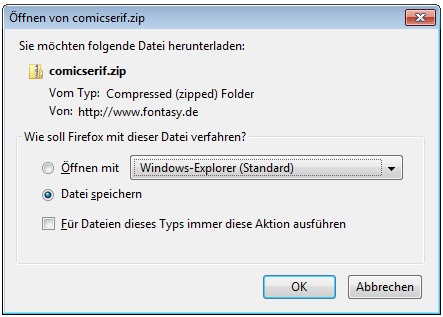
- 3 In the browser's download list, you can now see the downloaded file.
In case the download list does not show, hit Ctrl + J.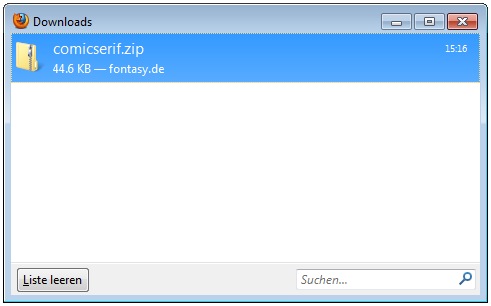
- 4 Open this file by double-clicking on it to see its contents. There you will find a font file, in this case an .otf - this is the actual font. Additionally, you may find a text file with licensing information on the downloaded font.

- 5 Double-click the font file to open and click on 'Install'. This will add the font to your collection and activate it automatically.
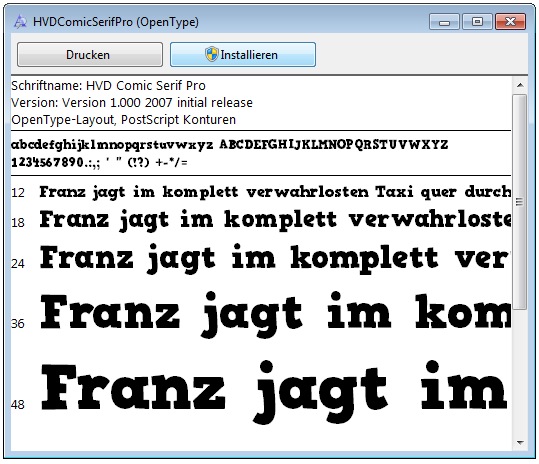
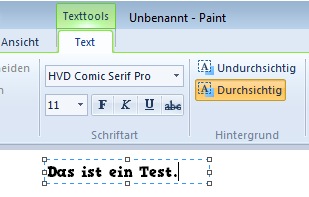
- 6 Done: You will now find this font in your collection and in every application that uses this library. This is true for office and graphics software, but also for applications like Outlook and Wordpad etc.
![Comic Serif Pro [HvD] by HvD Fonts](/prevs/tn_comicserif.png "Comic Serif Pro [HvD]")